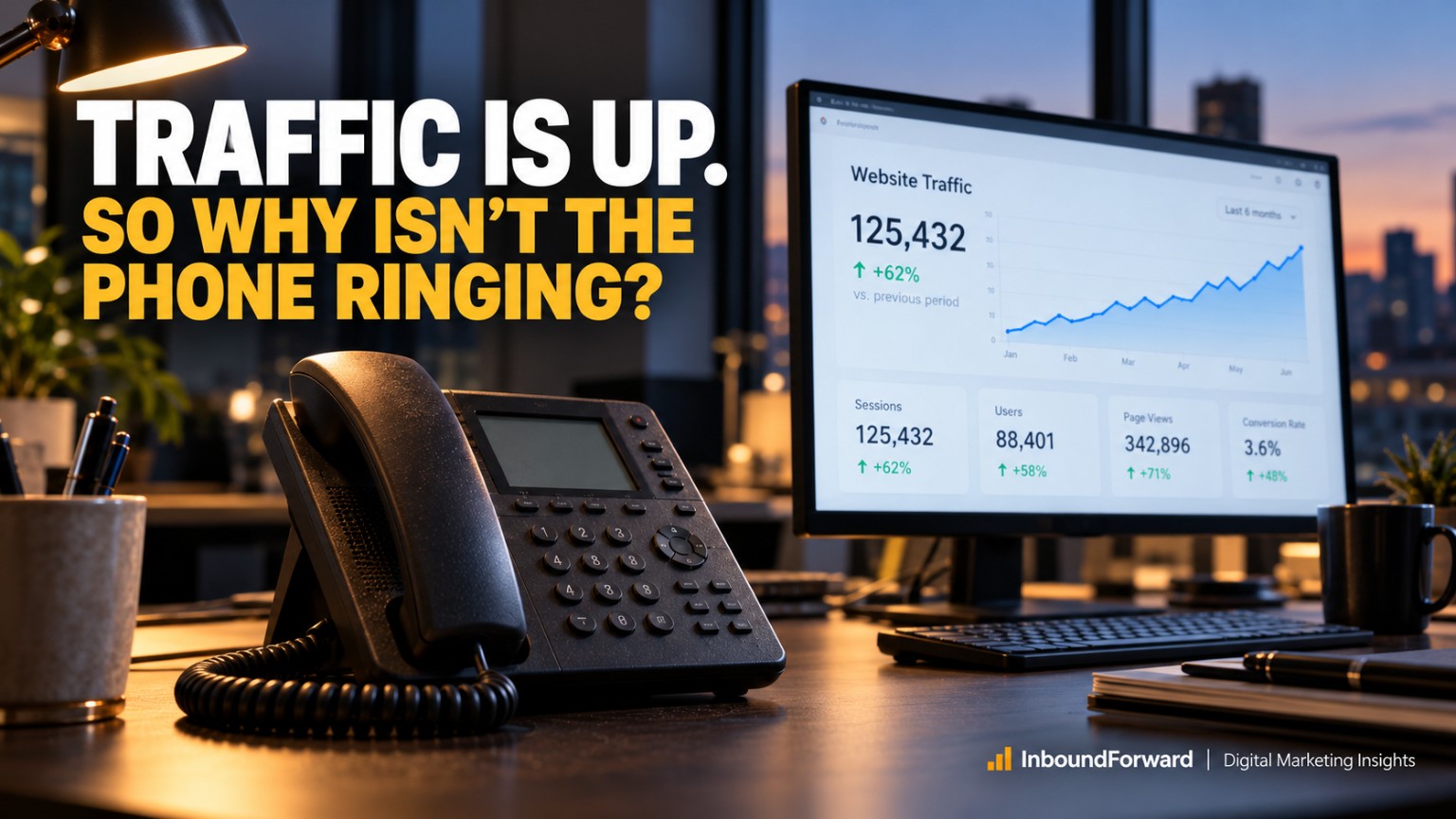
Imagine this.
You're a roofing contractor, HVAC company, home remodeler, personal injury attorney, or dental implant specialist.
You've invested thousands of dollars into your website. Maybe you're paying an SEO agency every month. Perhaps you're running Google Ads, publishing blog articles, or posting regularly on social media.
And according to your analytics, things look pretty good.
Traffic is increasing. People are finding your business on Google. Your rankings are improving.
There's just one tiny problem.
Nobody's calling.
Okay, maybe nobody is an exaggeration. But you're certainly not getting the number of phone calls, estimate requests, appointments, or contact form submissions you'd expect from the traffic you're generating.
So what do most businesses do?
They try to get more traffic.
More Google Ads. More SEO. More social media. More money thrown at bringing people to a website that apparently isn't convincing them to do anything.
I've spent a lot of my career working in SEO and marketing operations, and this particular problem fascinates me because it exposes a fundamental misunderstanding about digital marketing.
Traffic is not the goal. Revenue is.
And between those two things is an incredibly important step that far too many businesses overlook: conversion.
I wanted to understand why this happens, particularly for small and medium-sized businesses selling expensive products and services. So I dug into conversion benchmarks, usability studies, consumer behavior research, and an October 2026 review of 20 high-ticket service-business websites.
What emerged wasn't a story about the wrong button colors or whether a website needed another animated graphic.
It was something much more interesting.
Many websites are unknowingly making it difficult for people who are already interested in buying to actually become customers.
And the businesses operating those websites may have no idea.
First, Let's Talk About What a Website Conversion Actually Is
A conversion happens when someone takes an action you want them to take.
For an ecommerce business, that might be purchasing a product.
For a roofing contractor, it might be calling to request an inspection.
For a personal injury attorney, it could be submitting a request for a consultation.
For a dental implant specialist, it might be scheduling an appointment.
Simple enough, right?
Now here's where things get interesting.
According to Unbounce's Conversion Benchmark Report, which analyzed more than 464 million unique visitors and 57 million conversions across over 41,000 landing pages, the median conversion rate across industries was 6.6%.
For businesses in specific high-consideration categories, the numbers were different:
Traffic is only half the equation
Median landing-page conversion rates · Unbounce, 2024 · bars start at 0%, with a 10% scale.
- Commercial and professional services6.1%
- Legal services6.3%
- Dental services4.3%
- All industries combined6.6%
View the data table
| Industry | Median landing-page conversion rate |
|---|---|
| Commercial and professional services | 6.1% |
| Legal services | 6.3% |
| Dental services | 4.3% |
| All industries combined | 6.6% |
These numbers are useful benchmarks, but they're not universal standards. They're based on landing-page data, not every type of business website, and they aren't exclusive to small and medium-sized businesses.
An emergency HVAC repair page and a luxury home remodeling page can have dramatically different conversion rates for perfectly legitimate reasons.
In fact, Unbounce found that repair and maintenance landing pages converted at nearly three times the rate of home renovation pages.
Think about why.
Someone whose air conditioner stopped working during an Arizona summer probably isn't going to spend six months carefully evaluating their options.
Someone considering a $250,000 home renovation?
That's a completely different buying process.
The point isn't that every website should convert at 6.6%. The point is that attracting visitors and converting them are two very different challenges.
And the more expensive the purchase, the more important that distinction becomes.
What the Research Revealed About High-Ticket Websites
The research included an independent heuristic review of 20 publicly accessible U.S. service-business websites across five categories: roofing, HVAC, home remodeling, personal injury law, and dental implants.
Four websites were reviewed in each industry.
The results were revealing.
The biggest gaps were uncertainty and trust
Potential conversion risks observed in a purposive sample of 20 websites. Each site equals 5 percentage points. Bars show a 0–100% scale.
- Unclear pricing, process, or purchase expectations70% · 14/20
- Generic or weak value proposition60% · 12/20
- Insufficient trust or credibility signals60% · 12/20
- Confusing or competing contact options55% · 11/20
- Unnecessary form friction50% · 10/20
- Content overload50% · 10/20
- Mobile usability risks45% · 9/20
- Landing-page and visitor-intent mismatch45% · 9/20
- Potential performance risks35% · 7/20
- Technical, accessibility, or content-quality issues30% · 6/20
View the data table
| Potential conversion problem | Sites where it was observed |
|---|---|
| Unclear pricing, process, or purchase expectations | 70% |
| Generic or weak value proposition | 60% |
| Insufficient trust or credibility signals | 60% |
| Confusing or competing contact options | 55% |
| Unnecessary form friction | 50% |
| Content overload | 50% |
| Mobile usability risks | 45% |
| Landing-page and visitor-intent mismatch | 45% |
| Potential performance risks | 35% |
| Technical, accessibility, or content-quality issues | 30% |
Source: October 2026 high-ticket service website research, 20-site heuristic audit. These percentages describe this small, non-random sample only. They are not estimates of how common the problems are across all business websites. Performance risks were identified through structural observations, not measured PageSpeed scores.
Something immediately stood out to me.
The most frequently observed problems weren't necessarily technical.
They were problems of uncertainty and trust.
People didn't have enough information to make a decision. They couldn't always distinguish one company from another. They weren't sure what something would cost, what would happen after making contact, or whether the business was worth trusting with a significant amount of money.
In other words, many websites were asking visitors to take the next step without giving them enough reasons to feel comfortable doing so.
Let's look at the ten major problems in more detail.
1. Your Website Doesn't Match What the Visitor Is Actually Looking For
Imagine someone searches Google for:
"Emergency AC repair in Peoria, AZ"
They click an ad and arrive on a website featuring a beautiful photograph of a smiling family sitting comfortably in their living room.
The headline reads:
"Your Trusted Partner in Home Comfort Solutions."
Wonderful.
But where's the emergency repair information?
Can someone come out today? What areas do you service? Is there an emergency phone number? Are you available after hours?
The visitor has an immediate problem, and the website is busy introducing the company's philosophy about comfort.
This is called a search intent mismatch.
It happens when the content on a page doesn't adequately address the reason someone visited it.
And it isn't limited to emergency services.
Someone searching for "roof replacement cost" probably wants pricing information.
Someone searching for "best personal injury attorney for motorcycle accidents" wants to know whether the attorney has relevant experience.
Someone searching for "All-on-4 dental implant financing" wants information about payment options.
If everyone lands on the same generic homepage, you're forcing visitors to figure out whether your business can help them.
Some will.
Others will simply return to Google and click on a competitor.
What I'd change
Build landing pages around specific customer needs instead of assuming one homepage can do everything.
Your headlines should reflect the problems people are trying to solve. Your content should answer their immediate questions. And your primary call to action should make sense for their situation.
For example, an emergency repair page should prominently feature a phone number and availability details.
A home remodeling page should probably prioritize project examples, budget expectations, and consultation information.
Same general marketing principle. Very different customer journeys.
And that's exactly how it should be.
2. Your Website Sounds Exactly Like Every Competitor
I have a little challenge for you.
Visit five websites belonging to businesses in the same industry.
Pay attention to the headlines.
You'll probably encounter some variation of these:
"Quality You Can Trust."
"Your Satisfaction Is Our Priority."
"Excellence in Everything We Do."
"Turning Dreams Into Reality."
"We Put Our Customers First."
Now remove the company names and logos.
Can you tell which company wrote which statement?
Probably not.
And that's a problem.
A value proposition should explain why someone should choose your business instead of another business offering essentially the same service.
Generic statements about quality, integrity, experience, and customer service don't accomplish that on their own.
They're expected.
Nobody visits a contractor's website hoping to find a company that does mediocre work and occasionally ignores its customers.
A stronger value proposition communicates something specific and verifiable.
Maybe your company specializes in complex roof replacements that other contractors won't touch.
Maybe you offer a clearly documented warranty.
Maybe your remodeling company has a particularly transparent planning process.
Maybe your law firm focuses on a specific type of injury case.
Whatever it is, give people a meaningful reason to remember you.
Interestingly, Unbounce's professional services research found that landing pages using fifth- to seventh-grade reading-level copy had a median conversion rate of 12.9%, compared with 6.6% for pages using eighth- to ninth-grade copy.
That doesn't prove simplifying your wording will double conversions. Other differences between those pages may contribute to the results.
But it reinforces something I've believed for years:
Clear communication is usually more persuasive than impressive-sounding communication.
What I'd change
Replace vague headlines with specific, customer-focused statements.
Describe what you do, who you help, and what makes your approach different.
And don't hide the important details under five paragraphs about your company's unwavering commitment to excellence.
Your visitors have heard that one before.
Probably about seventeen times.
3. You're Asking for Trust Without Providing Enough Proof
Let's say you're shopping for a $25 coffee maker.
You find one from a company you've never heard of.
It looks decent. The reviews are positive. The price is reasonable.
You might buy it without much additional research.
Now imagine you're preparing to spend $40,000 on a new HVAC system.
Or $150,000 on a kitchen and home renovation.
Or you're choosing an attorney to represent you after a serious accident.
The stakes have changed.
You're not simply comparing products or services anymore.
You're evaluating risk.
And that changes how people interact with websites.
According to BrightLocal's 2026 Local Consumer Review Survey, 85% of respondents said positive reviews made them more likely to use a business, while 77% said negative reviews made them less likely.
Here's another interesting finding.
After reading positive reviews, 54% said they would visit the business's website.
That's important because online reviews and websites aren't necessarily competing sources of information.
They can reinforce each other.
Someone discovers your business through Google. They read your reviews. Then they visit your website looking for additional reassurance.
What do they find?
A handful of generic testimonials from "Mike R." and "Jennifer S."?
Stock photos of perfectly smiling people in suspiciously spotless homes?
Claims about being the number-one company in town without any indication of how that ranking was determined?
That's not particularly convincing.
What I'd change
Make your proof specific, authentic, and easy to verify.
Show actual completed projects. Include detailed customer stories. Feature genuine photographs of your team. Link to third-party reviews.
When relevant, display your professional licenses, certifications, insurance information, warranties, and years of experience.
For attorneys or healthcare providers, use appropriately verified credentials and outcomes while following applicable advertising and privacy rules.
Most importantly, put meaningful proof near the places where visitors are being asked to make a decision.
Don't make someone dig through six pages to find out whether you're legitimate.
When the purchase is expensive, trust isn't a decorative element. It's part of the product you're selling.
4. You're Hiding Pricing Information Because "Every Project Is Different"
This might be my favorite finding from the research.
And possibly the one that will annoy the most business owners.
In the 20-website audit, unclear pricing, process, or purchase expectations were observed on 14 of the 20 websites.
That's 70% of the sample.
Now, I understand why high-ticket businesses hesitate to publish prices.
A roof replacement depends on the size of the home, materials, condition, and complexity.
An HVAC installation depends on equipment, ductwork, efficiency, and other factors.
A kitchen renovation can vary enormously based on design, materials, and scope.
And dental implant procedures have individual clinical requirements that make blanket pricing difficult.
All perfectly legitimate considerations.
But here's my question.
Does the fact that every project is different really mean you can't give people any useful indication of what something might cost?
Of course not.
Imagine walking into a car dealership and discovering that none of the cars had prices.
Every window sticker simply said:
"Contact Sales for Pricing."
Would you consider that a great customer experience?
Probably not.
Yet plenty of service-business websites operate exactly that way.
They effectively tell visitors:
"Give us your name, email address, and phone number. Then we'll decide whether to tell you how expensive this might be."
That's a pretty significant request.
The Nielsen Norman Group's research on pricing transparency recommends using representative purchasing scenarios when exact prices aren't practical.
The research reviewed for this article included some excellent examples of businesses taking that approach.
One remodeling company clearly communicated that some kitchen projects start around $100,000 and whole-home remodels can exceed $1 million.
One dental practice published starting prices for individual implants and full-arch treatment.
Those businesses weren't promising that every customer would pay exactly those amounts.
They were helping prospective customers understand the general financial commitment.
And that matters.
What I'd change
Provide realistic starting prices, typical ranges, representative project costs, or minimum project budgets wherever practical.
Explain which factors affect pricing.
Discuss financing availability when appropriate.
And explain exactly what happens during the estimate or consultation process.
You might even discover that publishing realistic prices reduces the number of people contacting you who were never going to be good prospects in the first place.
That's not necessarily a failure.
I'd rather have ten qualified leads who understand my services than thirty people who thought a $75,000 project would cost $5,000.
More leads aren't automatically better leads.
5. You're Making It Too Difficult to Contact Your Business
This one seems almost ridiculous.
A visitor has decided they want to contact you.
Congratulations!
Your website has done its job.
Now all they need is a phone number or a simple form.
And somehow, some websites still manage to make this difficult.
Maybe the phone number is hidden in the footer.
Maybe there's a floating chat bubble covering the mobile contact button.
Maybe the visitor sees six different options:
"Learn More."
"Get Started."
"Let's Connect."
"Request Information."
"Explore Your Options."
"Book a Consultation."
Which one should they choose?
What happens when they click?
Is the consultation free? Will someone call them immediately? Are they booking an appointment or simply requesting information?
These details matter because uncertainty creates hesitation.
The Nielsen Norman Group's Contact Us usability research specifically recommends visible contact information, direct communication options, and clear expectations about response times.
It also warns against replacing traditional contact information entirely with forms or automated chat tools.
Here's the thing.
Some people want to call.
Some people would rather fill out a form.
Neither preference is wrong.
Your website shouldn't punish someone for choosing one over the other.
What I'd change
Make your primary contact method obvious.
For a roofing company, that might be "Schedule a Free Roof Inspection."
For a law firm, "Request a Case Consultation."
For an HVAC emergency service, "Call for Emergency Repair."
Include a clearly visible, clickable phone number on mobile.
Offer a straightforward form for people who prefer not to call.
And tell visitors what to expect.
For example:
"Complete this form and a member of our team will contact you within one business day."
Obviously, only promise a response time your team can consistently meet.
Because there's something worse than losing a lead through a confusing website.
It's successfully generating a lead and then failing to respond.
6. Your Contact Form Feels Like a Mortgage Application
Have you ever started filling out a contact form and thought:
"Why on earth do they need all of this information?"
I have.
All I wanted was to ask a question, and suddenly I'm being asked for my complete address, annual income, project budget, timeline, how I heard about the company, and whether I own or rent my home.
I'm half expecting the next field to ask for my mother's maiden name.
There's a difference between collecting information that's helpful to your business and collecting information that's essential to start a conversation.
And that difference matters.
Research summarized by the Nielsen Norman Group found that forms following established usability guidelines achieved 78% successful first-attempt submissions, compared with 42% for forms that violated those guidelines.
A related controlled Google Research study involving 65 participants found that improved forms were completed faster, required fewer submission attempts, and involved fewer eye movements.
To be clear, the 78% versus 42% finding measures error-free first submissions. It doesn't mean improving a form automatically produces a 36-percentage-point increase in sales leads.
But it demonstrates just how much unnecessary form complexity can affect usability.
In the 20-site audit, material form friction was observed on 10 websites.
Some required detailed project or property information before the initial inquiry could be submitted.
Those questions may serve a legitimate operational purpose.
But do they all need to be answered before your team can make an initial phone call?
What I'd change
Start with the information you actually need.
For many service businesses, that might include a name, preferred contact method, service needed, and a short message.
Additional details can often be collected later.
Also make sure forms are easy to complete on mobile devices, clearly distinguish required and optional fields, preserve entered information when an error occurs, and display helpful error messages.
And please test the entire process.
A beautiful form that never sends the submission anywhere isn't lead generation.
It's an elaborate way of collecting absolutely nothing.
7. Your Mobile Website Is Technically Responsive but Practically Unusable
I think this is one of the most misunderstood parts of website design.
A business owner asks whether their website works on mobile.
The developer opens the site on a phone.
Everything resizes to fit the screen.
"Yep! Mobile responsive."
Great.
But can someone actually use it?
Can they easily tap the phone number?
Does the contact form work with the mobile keyboard?
Are buttons large enough to select without accidentally tapping something else?
Does a floating chat widget cover the primary call to action?
Does the visitor need to scroll through an enormous photograph before finding useful information?
That's the difference between responsive design and mobile usability.
And the research suggests it's a major opportunity.
According to Unbounce's professional services benchmarks, 81% of landing-page visits came from mobile devices.
Yet mobile visitors converted at 8.3%, compared with 11.6% on desktop.
That's a 3.3-percentage-point gap.
Most visits were mobile. Conversion lagged desktop.
Commercial and professional services landing pages · conversion rate by device · 0–15% scale.
81% of visits came from mobile devices.
- Mobile8.3%
- Desktop11.6%
Of course, device differences can reflect traffic mix and visitor behavior, not just website design.
But when mobile accounts for most of your visits, even modest usability problems deserve serious attention.
The W3C's Web Content Accessibility Guidelines 2.2 also address interactive target sizes, establishing a 24-by-24 CSS-pixel minimum or adequate spacing under defined exceptions.
That's a baseline accessibility requirement, not necessarily the ideal size for every important mobile button.
What I'd change
Stop evaluating mobile performance exclusively from a designer's desktop monitor.
Use an actual phone.
Go through the entire experience as a potential customer.
Find a service. Read the pricing information. Locate reviews. Tap the phone number. Fill out the form. Submit it.
Then repeat the process on different screen sizes.
If completing those tasks feels frustrating to you, imagine how it feels to someone visiting three competitors at the same time.
A mobile website isn't successful because it fits on a phone. It's successful because people can accomplish what they came to do.
8. Your Website Is Too Slow, and Visitors Are Losing Patience
Speed is one of those website issues that business owners generally understand but often underestimate.
Nobody likes waiting for a page to load.
But when you're selling an expensive service, a slow website can create problems beyond simple annoyance.
Images load late.
Buttons move around.
The navigation doesn't respond immediately.
A visitor starts filling out a form and the interface freezes.
All of those experiences create friction.
Google measures important aspects of website performance through its Core Web Vitals:
Three signals of a good page experience
Main content appears quickly.
The page reacts quickly.
The layout stays in place.
View the data table
| Metric | Google's good-experience threshold |
|---|---|
| Largest Contentful Paint (LCP) | 2.5 seconds or less |
| Interaction to Next Paint (INP) | 200 milliseconds or less |
| Cumulative Layout Shift (CLS) | 0.1 or less |
In plain English, those metrics examine how quickly important content appears, how responsive the page feels, and whether the layout unexpectedly moves around.
And performance improvements can have measurable business effects.
For example, Rakuten 24 reported a 33.13% higher conversion rate in an A/B test comparing a performance-optimized experience with its unoptimized version.
A 2026 Nuvemshop case study reported an 8.9% year-over-year increase in mobile conversion for a measured cohort of stores following substantial improvements in loading performance.
Those are ecommerce examples, not guarantees that a roofing contractor will achieve identical results.
Still, they reinforce an important point.
Website performance can affect business performance.
What I'd change
Start by measuring actual performance rather than guessing.
Use Google PageSpeed Insights and real-user Core Web Vitals data where available.
Pay particular attention to oversized images, unnecessary video backgrounds, excessive scripts, heavy third-party widgets, and layout shifts.
And periodically review the tools installed on your website.
Businesses sometimes accumulate years of tracking scripts, chat tools, plugins, and marketing widgets that nobody actively uses.
At a certain point, your website starts resembling a garage filled with things you keep because you might need them someday.
Except this garage is slowing down your sales process.
9. Your Website Has Too Much Content, Too Many Choices, and No Clear Direction
This problem requires some nuance.
As someone who cares deeply about SEO, I'm certainly not going to argue that long-form content is inherently bad.
Quite the opposite.
A detailed article explaining roof replacement costs, financing considerations, common materials, and installation timelines can be incredibly valuable.
A comprehensive guide to dental implant options can help someone understand an intimidating purchase.
The problem isn't necessarily the amount of information.
It's how the information is organized.
Some websites present visitors with enormous navigation menus, dozens of services, endless geographic landing-page links, multiple promotions, repeated testimonials, intrusive popups, and competing calls to action.
Everything gets equal visual attention.
Which means nothing stands out.
In Unbounce's professional services research, landing pages in an approximate 275-to-745-word range showed particularly strong median conversion performance.
That doesn't mean every website page should be 500 words long.
A research-stage buyer considering a six-figure remodel may need much more information than someone looking for emergency AC service.
The important question is whether your content helps the visitor move toward a decision.
What I'd change
Give every important page a clear purpose.
If the page exists to generate roof inspection requests, build the experience around helping people understand the inspection process and feel comfortable scheduling one.
If the page explains the cost of a kitchen renovation, give readers useful cost information before repeatedly asking them to book a consultation.
Use descriptive headings. Group related content. Reduce repetitive messaging.
Make secondary actions less visually prominent than the primary action.
And reconsider popups that interrupt visitors before they've even had a chance to read the page.
Your website should feel like a helpful conversation.
Not six salespeople surrounding someone the moment they walk through the door.
10. Your Website Has Small Mistakes That Create Big Trust Problems
Now we get to a category of problems that can be particularly damaging for high-ticket businesses.
Technical errors.
Content errors.
Broken forms.
Outdated promotions.
Unfinished website templates.
The research uncovered some especially interesting examples.
One roofing website included visible unfinished template language such as "Request Lorem Epsom" and "Hero Request Form."
A dental implant website presented detailed treatment pricing, which was genuinely useful, but also displayed unresolved promotional text containing placeholders such as "through DATE" and "/10 spots left."
Think about that for a moment.
You're considering spending tens of thousands of dollars with a business.
You visit its website.
And part of the sales message still contains placeholder text.
It doesn't necessarily mean the company provides poor service.
But from a visitor's perspective, it's not exactly reassuring.
If a business appears careless about the information it publishes publicly, a prospective customer may begin wondering where else that carelessness shows up.
And some technical problems have even more direct consequences.
A broken form can prevent a lead from being submitted.
An incorrect phone number can send calls to the wrong place.
A failed CRM integration can make legitimate inquiries disappear without anyone noticing.
In the audit, material technical, accessibility, or content-quality concerns were observed on six of the twenty websites.
What I'd change
Perform regular quality checks across every important conversion path.
Submit your forms.
Call your published phone numbers.
Check appointment booking integrations.
Verify that form submissions actually reach the intended inbox or CRM.
Review current promotions, testimonials, pricing, and contact information.
Test keyboard navigation and accessibility.
And when a developer or agency launches a new page, don't just verify that it looks good.
Verify that it works.
A website can look like a million dollars while quietly preventing the business from making any.
Here's What Makes These Problems So Expensive
Let's put this into perspective.
Imagine a high-ticket service business receives 2,000 qualified website visits per month.
Its website currently converts 2% of those visitors into inquiries.
That's 40 inquiries.
Now imagine the business improves its conversion rate to 3% without increasing traffic.
Suddenly it's generating 60 inquiries.
That's 20 additional inquiries every month, without spending another dollar to attract more visitors.
Now, just for illustration, let's assume one in four of those additional inquiries becomes a customer, and the average project is worth $15,000.
Same 2,000 visits. A different business outcome.
+20 inquiries from a 1-percentage-point increase in conversion rate
5 customers × $15,000 average project value$75,000potential additional monthly booked revenue
View the data table
| Hypothetical monthly outcome | Amount |
|---|---|
| Additional inquiries | 20 |
| Additional customers at a 25% close rate | 5 |
| Average project value | $15,000 |
| Additional booked revenue | $75,000 |
That's $75,000 in potential additional monthly booked revenue under these hypothetical assumptions, not profit, and certainly not a forecast.
Actual results depend on lead quality, the sales process, available capacity, project economics, and many other factors.
But the illustration reveals something important.
Improving conversion rates can increase the value of traffic you're already paying to acquire.
This is why I find it frustrating when businesses focus exclusively on rankings, impressions, clicks, and traffic growth.
Those metrics have value.
But they're part of the process, not the final objective.
A business owner can't deposit organic impressions into a bank account.
So What Should You Fix First?
After reviewing the research, I wouldn't recommend immediately redesigning an underperforming website.
That might sound surprising coming from someone who loves marketing and web design.
But a redesign isn't automatically a conversion strategy.
You can spend $30,000 creating a visually stunning website and accidentally preserve every problem that prevented the old one from generating leads.
Instead, I'd approach the problem in stages.
First: Make Sure Nothing Is Broken
Before changing your messaging, verify that visitors can actually contact you.
Test forms, phone links, appointment scheduling, confirmation messages, notifications, and CRM delivery.
Fix obvious errors and remove unfinished content.
This is the foundation.
Second: Make Contacting You Effortless
Simplify forms.
Make phone numbers easy to find.
Use clear calls to action.
Explain what happens after someone contacts you.
If visitors already want to speak with your business, don't make that decision unnecessarily complicated.
Third: Remove the Biggest Sources of Uncertainty
Add useful pricing guidance where possible.
Explain your process.
Show authentic proof of your work.
Make credentials and guarantees easy to verify.
Answer the questions people are likely to have before they contact you.
This is where I suspect many high-ticket service businesses could find meaningful opportunities, although each site's actual results need to be measured.
Fourth: Improve Mobile Experience, Performance, and Message Relevance
Evaluate your mobile conversion path.
Measure website speed.
Align important landing pages with visitor intent.
Improve content structure.
Then begin testing different approaches instead of relying entirely on assumptions.
You don't need to fix everything at once.
But you do need to prioritize the issues most likely to be costing your business legitimate opportunities.
Stop Measuring Only Website Traffic. Start Measuring Business Outcomes.
There's one more issue worth discussing because it ties everything together.
Measurement.
A lot of businesses know how many people visit their websites.
Some know how many visitors click their contact buttons.
Far fewer have a complete understanding of what happens after someone makes contact.
And that's a serious limitation.
Think about the journey:
Measure the whole path to revenue
- Website visit
- Service-page engagement
- Phone call or form
- Successful contact
- Qualified lead
- Appointment or estimate
- Customer
- Revenue
Every step tells you something different.
For example, a phone-button click isn't necessarily a completed phone call.
A completed phone call isn't necessarily a qualified lead.
A qualified lead isn't necessarily a customer.
And a customer isn't necessarily a profitable one.
If you're optimizing only for form submissions, you might unintentionally encourage more low-quality inquiries.
If you're measuring only traffic, you might celebrate a campaign that brings thousands of visitors who have little interest in buying.
That's why I prefer connecting website analytics, call tracking, form submissions, CRM data, and actual sales outcomes wherever possible.
Not every small business needs an elaborate enterprise-level marketing technology stack.
But it should have a way to understand which marketing efforts are generating actual opportunities.
At a minimum, I'd want to know:
- Which website pages produce calls and form submissions?
- Which traffic sources generate the most qualified leads?
- How many calls are answered versus missed?
- How many form submissions receive a meaningful follow-up?
- Which inquiries result in appointments, estimates, or consultations?
- Which of those opportunities eventually turn into paying customers?
Once you understand those relationships, marketing decisions become a lot more useful.
You stop asking only, "How do we get more people to the website?"
And start asking, "How do we generate more revenue from the people who are already interested?"
That's a much better conversation.
Frequently Asked Questions
Why does my website get traffic but no leads?
A website can attract visitors without generating leads when its content doesn't match visitor intent, its messaging is unclear, it lacks trust signals, or contacting the business requires too much effort. Technical problems, mobile usability, pricing uncertainty, and poor-quality traffic can also contribute. The only way to identify the actual causes is to examine the specific website and its conversion data.
What is a good conversion rate for a service-business website?
It depends on the industry, visitor intent, traffic source, device, and definition of a conversion. Unbounce's 2024 landing-page benchmarks reported median rates of 6.1% for commercial and professional services, 6.3% for legal services, and 4.3% for dental services. Those figures are useful reference points, not guaranteed targets for every service-business website.
Should high-ticket service businesses display pricing?
Generally, businesses should provide useful pricing context when they can do so accurately. If exact pricing isn't practical, starting prices, typical ranges, project minimums, or representative scenarios can help visitors determine whether a service fits their budget. Transparency can also support better lead qualification.
Do shorter contact forms increase leads?
Simpler, more usable forms can reduce completion friction, but the effect on lead volume varies. The goal should be to collect the information necessary to begin a useful conversation without requiring unnecessary details too early. Businesses should test changes and evaluate lead quality as well as submission volume.
Should I invest in more SEO traffic or improve my website's conversion rate?
That depends on your current performance. If your website attracts substantial qualified traffic but produces very few inquiries, conversion improvements may deserve attention before additional traffic investment. If your website converts qualified visitors well but receives very little relevant traffic, acquisition may be the larger opportunity. Both should ultimately be evaluated by qualified leads and revenue.
Final Thoughts: Maybe You Don't Have a Traffic Problem
Here's what I keep coming back to.
Business owners invest enormous amounts of time, money, and energy trying to get people to visit their websites.
They hire SEO agencies.
They purchase advertising.
They commission new designs.
They publish articles.
They obsess over Google rankings.
And after all that effort, when someone finally arrives, the website sometimes does a remarkably poor job of helping that person become a customer.
It doesn't clearly explain the service.
It doesn't answer the pricing question.
It doesn't establish enough trust.
It makes the visitor fill out an unnecessarily complicated form.
Or it simply doesn't make the next step obvious.
Then the business wonders why its traffic isn't producing results.
Here's the part I think deserves more attention.
The visitor may already want what you're selling.
They might already have the budget.
They might already be comparing your business against two or three competitors.
They might already be ready to schedule a consultation.
But your website hasn't given them enough confidence to take that next step.
For high-ticket businesses, I don't believe conversion optimization is primarily about manipulating people into clicking buttons.
It's about removing the confusion, uncertainty, and unnecessary effort that prevent legitimately interested visitors from moving forward.
That's a very different philosophy.
And it's one I think more businesses should embrace.
Because if your website is receiving qualified traffic but generating fewer leads than it should, getting even more visitors might not be the first thing you need.
You might need to do a better job helping the visitors you already have.
Your website shouldn't just attract potential customers. It should help them feel confident enough to become actual customers.
And that's where traffic finally starts turning into revenue.
Research Sources and Methodology
This article draws on an October 2026 research synthesis incorporating large-scale conversion benchmarks, published usability research, website performance studies, accessibility guidance, and a 20-site heuristic audit of U.S. high-ticket service-business websites.
The 20-site sample included roofing, HVAC, remodeling, personal injury law, and dental implant businesses. The audit was purposive rather than random, and its findings identify potential conversion risks rather than verified losses or statistically representative industry prevalence. No reliable numerical mobile speed scores were obtained for the audited websites.
Primary sources:
- Unbounce, Conversion Benchmark Report and methodology (2024)
- Unbounce, Commercial and Professional Services Conversion Benchmarks
- Contentsquare, Digital Experience Benchmark Report (2026)
- BrightLocal, Local Consumer Review Survey (2026)
- Nielsen Norman Group, Show Prices for Common Scenarios
- Nielsen Norman Group, Contact Us Page Guidelines
- Nielsen Norman Group, Website Forms Usability
- Google Research, Designing Usable Web Forms
- Google web.dev, Core Web Vitals
- Google web.dev, Nuvemshop Performance Case Study (2026)
- Google web.dev, Rakuten 24 Performance Case Study
- W3C, WCAG 2.2 Target Size Requirements
Research reviewed October 2026. Industry benchmarks, controlled usability findings, individual company case studies, and small-sample website observations describe different types of evidence and should not be interpreted as interchangeable or as guarantees of conversion improvement.
Where might your website be losing opportunities?
Start with the free Revenue Leak Detector, or book a free Marketing Checkup to talk through your website and customer journey with Brian.
Book a Free Marketing Checkup