There is a particular kind of email that seems to exist because someone looked at a calendar and realized the business hadn't sent an email lately.
You know the one. A vague subject line. A large picture. Some exciting news that turns out to be a discount you received last week. Somewhere near the bottom, the business would like you to do six different things.
Meanwhile, an owner in Peoria is trying to keep the schedule full, get estimates out, make payroll, and remember whether anyone replied to that customer from Tuesday.
Email could help with some of that. But sending another message is not automatically helping.
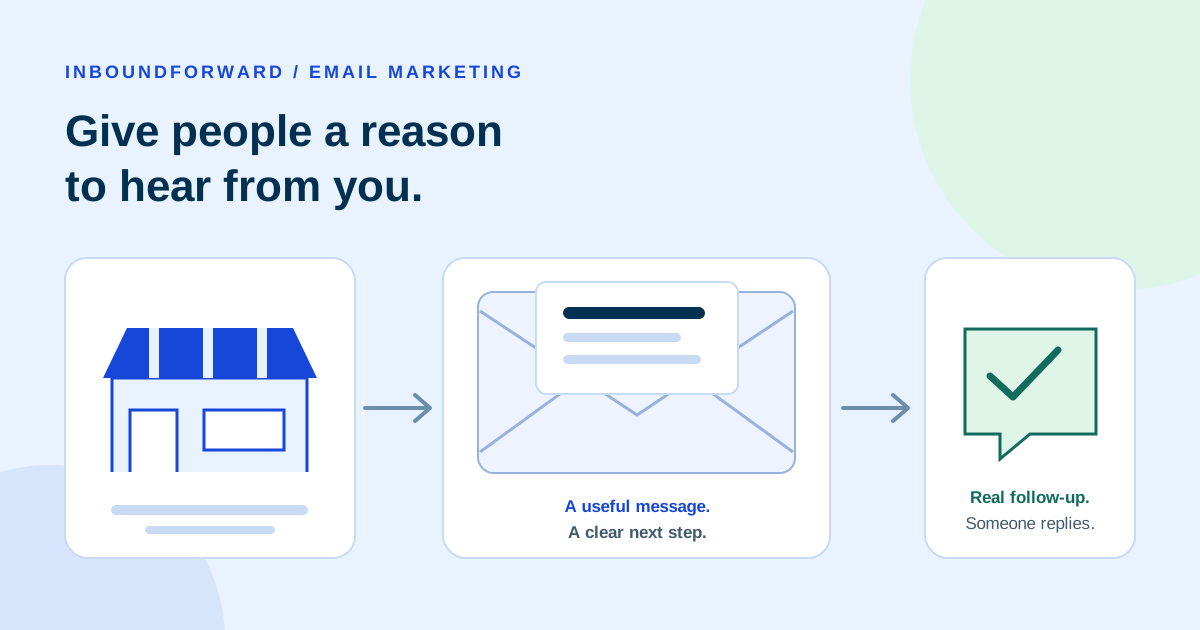
The opportunity is to stay useful between the moments when someone needs you. Answer a question before a purchase. Make a repeat order easier. Help an interested person understand what happens next. Give a past customer a relevant reason to return.
My background is in marketing operations, SEO, and email marketing. The part I keep coming back to is how these pieces connect. An email can be well written and still accomplish very little if it reaches the wrong person, leads to a confusing page, or produces a reply nobody answers.
So let's work through what a sensible email program looks like for a small or midsize business. No promise that Tuesday at 10:07 a.m. will change your life. No impressive-looking return-on-investment number borrowed from someone else's industry.
Just a useful way to decide what to send, who should get it, and whether it helped.
The Peoria and Vistancia businesses, messages, and campaign numbers below are hypothetical examples, not client case studies. Primary guidance was reviewed on November 6, 2026. Recommendations about timing and workflow are starting points to test, not universal benchmarks.
Start with a business job, not a newsletter
“We need a newsletter” sounds like a plan. Usually, it is the name of a container.
What do you need the email to do?
A Peoria flooring business might want to help people prepare for an estimate. A bakery serving Vistancia might want subscribers to know when weekend preorders close. A local business selling maintenance supplies to other companies might need to explain when a recurring order should be reviewed.
Those are three different jobs. They need different messages, different timing, and different ways to judge the result.
Before opening an email editor, finish this sentence: This email should help this group of people take this next step.
For example: “Help people who subscribed to our flooring project tips understand what to prepare before requesting a measurement appointment.”
Now the owner and the employee writing the email have something concrete to work with. They can choose a topic, link to the right page, and decide what an appropriate response looks like.
Compare that with “increase engagement.” Engagement with what? A picture of the showroom? A discount? An actual conversation about a project?
The distinction matters when resources are limited. If you can maintain one useful email and a reliable reply process, do that before committing to a weekly publication with five recurring departments and a name nobody can agree on.
Give the customer something besides a reminder that you exist
There are plenty of reasonable reasons to write:
- Explain a decision customers commonly struggle with.
- Share a relevant product or service update with the people it affects.
- Remind subscribers about a real deadline they asked to hear about.
- Offer useful preparation or care information related to their interests.
- Make a repeat purchase or appropriate follow-up simpler.
Promotions can belong in that mix. The question is whether the offer fits the person receiving it and the economics of your business. A discount that fills the calendar with work you barely make money on deserves a closer look, even if the email report is covered in green arrows.
Build a list people recognize joining
An address in your customer records tells you where an email might go. It does not, by itself, tell you what the person expects to receive.
That is why I would build a marketing list around clear, recorded permission. A customer should understand who will write, what kind of messages to expect, and roughly how often.
For our fictional bakery, the signup might say:
Hypothetical signup wording
Get our Friday preorder menu and occasional holiday ordering updates. Usually one email a week. Unsubscribe whenever you like.
That is a much more useful promise than “Join our community,” particularly when the community mostly needs to know whether there will be cinnamon rolls.
Keep the signup request separate from the step needed to complete a purchase or ask a question. Do not quietly turn a request for a receipt into agreement to receive a promotion. Train the person at the counter to explain the choice, rather than checking a box because the software allows it.
This also makes future decisions easier. If someone asked for the Friday menu, a stream of unrelated partner promotions is a change in the relationship, not simply another use for the same address.
Twilio SendGrid's list-building guidance describes permission-based collection. Its delivery guidance requires affirmative consent for non-transactional messages sent through its service. Platform rules and legal requirements are separate things; check both for your situation.
Record enough to understand the relationship
A simple record can include the signup source, date, subscription choice, and the wording the person saw. Keep preference changes and opt-outs connected to that record. Limit staff access to what their work requires.
Do not buy a list, scrape addresses from local websites, or treat a stack of networking business cards as a ready-made newsletter audience. An address being available is a poor substitute for someone wanting your email.
If you inherited an old list, investigate where the contacts came from before importing it. Separate known subscribers from unknown records and people who opted out. An email-address checking service cannot establish permission.
Consider a confirmation step
With double opt-in, a person signs up and then confirms through a message sent to that address. Mailchimp explains the two stages. It can help check that the address is controlled by someone who completes the subscription process.
There is a tradeoff: some interested people will not finish. Make the confirmation clear, test delivery, and explain what to do next. Choose the approach that fits your risks, provider, and applicable requirements. A confirmation step is useful, but it does not cure a misleading signup promise.
Understand the rules without confusing them with permission
The FTC's CAN-SPAM guide covers commercial email, including business-to-business messages. A practical U.S. starting checklist is:
- Identify the sender accurately and use an honest subject line.
- Clearly identify advertising as required.
- Include a valid physical postal address. The guide also explains qualifying postal and private mailboxes.
- Provide an obvious way to stop all marketing messages.
- Honor opt-outs within 10 business days and keep the mechanism working for at least 30 days after sending.
- Remember that hiring an agency does not remove your responsibility.
These are federal requirements, not a complete assessment of every situation. Other jurisdictions and your platform can impose additional conditions. If your audience or message raises questions, get qualified advice before sending.
A receipt or appointment confirmation is not automatically treated the same as a promotion. The FTC says the message's primary purpose matters, including when content is mixed. Do not hide a sales campaign inside an “account update.”
Operationally, process opt-outs as quickly as your system supports. Some mailbox-provider requirements are faster than the federal maximum. There is no customer benefit in keeping someone on a list until the last allowable afternoon.
Set up the sender before polishing the subject line
Your email service needs a proper connection to the domain people recognize as your business. This setup helps receiving systems check the sender. It is not a guarantee of inbox placement.
Google's sender guidelines distinguish requirements for all senders to personal Gmail accounts from additional bulk-sender requirements. Three terms are worth recognizing:
| Term | What the owner needs to understand |
|---|---|
| SPF | Identifies servers authorized to send for a domain. |
| DKIM | Adds a signature that receiving systems can check. |
| DMARC | Connects authentication to the visible sender domain and publishes handling instructions. |
Ask your provider or technical helper to configure and test the actual sending setup. Include existing services in the review; changing a domain record without understanding what already sends email can create another problem.
Small lists still need responsible sending
Google's FAQ describes bulk status around 5,000 messages to personal Gmail accounts in 24 hours, counted across the same primary domain. That threshold is not a safe-harbor rule for smaller lists.
For covered marketing traffic, verify the provider's one-click unsubscribe support as well as the visible unsubscribe link. These are different mechanisms. Google's FAQ lists honoring unsubscribe requests within 48 hours among its bulk-sender requirements.
Do not treat a spam-complaint ceiling as a goal to approach. Investigate complaints and unexpected delivery failures early. Check the current rules of the mailbox services your recipients use, and make sure your sending platform reports problems in a way someone on your team actually reviews.
For a Peoria service business, a reliable sender name, working reply address, and monitored inbox are also part of the setup. “Reply if you have a question” should connect to a person who can answer it.
Send different people different useful things
Segmentation is the marketing term for dividing a list into meaningful groups. You do not need an elaborate prediction engine to start.
Think about the customer relationship and the information someone gave you. Are they considering a first purchase? Have they already bought? Did they ask about a particular service? Which location or delivery area did they choose?
Our fictional flooring business could begin with three groups:
- Subscribers planning a project who want preparation advice.
- Customers with an active installation who need the agreed project communications.
- Past customers who separately subscribed to relevant care tips and updates.
The first group might appreciate a guide to preparing for measurements. The second needs accurate instructions about the actual job. The third should not keep receiving “Ready to choose your first floor?” every month.
Keep essential project communications and marketing subscriptions distinct. Someone should be able to leave the promotional list without losing a necessary update about work they already purchased.
For a midsize company, agree on who maintains these distinctions. If the sales team updates a customer record but the marketing platform never receives that change, your carefully planned email can still be inappropriate when it arrives.
Use what you know without becoming intrusive
Relevant personalization might mean showing the service a person asked about, respecting their chosen location, or stopping a promotion after they buy. It does not require guessing their income, personal circumstances, or how urgently they need help.
Get the ordinary details right first. Test missing names. Check whether a household has duplicate records. Avoid putting confidential project information into a marketing subject line. Make sure a useful preference does not become a label staff apply casually and never revisit.
If you cannot explain why a group should receive a particular message, reconsider the send. More personalization fields will not answer that question for you.
Write one email around one useful next step
The most useful starting draft is often an answer to something a customer asked.
“What should I have ready before you measure the rooms?”
“When do holiday orders close?”
“Can you send the product information so my office manager can review it?”
Those questions give you the beginning of an email. They also sound like your customers, which is a considerable advantage over sounding like a marketing department trying to win an adjective competition.
Use a recognizable sender name. Write a subject line that describes the real reason for the message. Use preview text, the short line many inboxes show beside the subject, to add useful context.
For our hypothetical Peoria flooring shop:
Illustrative email excerpt
- Subject
- Planning new floors? Here's what to prepare before a measurement visit
- Preview text
- A few details can help us make the first conversation more useful.
Hi Jordan,
If new floors are on your project list, you don't need every decision made before asking for a measurement appointment.
Start with the rooms involved, the type of flooring you're considering, and your rough timing. Photos can also help us understand the space before we talk.
Our preparation guide explains what we'll ask and what the next step looks like.
Read the measurement preparation guide
Have a question before you book? Reply to this email and tell us what you're working on.
Fictional body excerpt, not a send-ready campaign. Add the actual sender identity, required postal information, and working unsubscribe controls. The action above is an illustration, not a booking link.
The email gives the recipient a reason to read, answers part of a question, and offers one main destination. A reply is available for someone who needs clarification. It does not need a countdown clock, a mystery discount, and a request to follow four social accounts.
Make the subject match the contents
Avoid fake “Re:” or “Fwd:” labels, invented urgency, and messages that pretend to concern a purchase the recipient never made. If an offer ends on Friday, explain the real terms. If the deadline is simply a device to make people hurry, rethink it.
Specific does not mean shouting. “Friday preorder menu: pickup times and this week's options” gives our bakery subscriber more information than “You won't BELIEVE what's inside.”
And do not make every email a discount. A practical explanation, genuinely useful update, or timely reminder may fit the relationship better. Consider what you are teaching customers to wait for if every message is a sale.
The destination needs to finish the job
If the email promises a measurement guide, link to the guide. If it invites a reorder, make the relevant products or process easy to find. Keep the terms consistent between the message and the destination.
A useful email followed by a confusing page is still a customer problem. The same questions apply as in my guide to website visits that do not turn into inquiries: can someone understand the offer and take the next step without extra detective work?
Make it readable on a phone and with assistive tools
A customer might read your message at a desk, standing near a job site, or while comparing schedules with someone else. A clean design helps all three.
Litmus's email accessibility guide covers readable text, contrast, descriptive links, meaningful image alternatives, and testing. A practical starting check is to:
- Keep the main message in real text, rather than inside one large image.
- Use a simple layout with readable type and enough spacing.
- Make important actions easy to identify and tap.
- Describe useful images and avoid forcing decorative images into the reading order.
- Check the message with images unavailable, text enlarged, and dark mode where supported.
The W3C's accessible-writing guidance also supports meaningful headings, clear instructions, and descriptive link wording. “View pickup times” is more informative than “Click here,” particularly when a reader moves through links out of context.
Use your platform's plain-text version too, and inspect it. A text-only message should still make sense, have the correct destination links, and explain how to unsubscribe.
Send tests to email applications your audience actually uses. A browser preview cannot establish how an email will behave in every inbox. Ask someone besides the writer to try the links and explain what they think the message is asking them to do.
Automate the helpful parts, including the stopping point
Automation works best when you can describe the trigger, the message, and the reason it should stop.
Start with something manageable. A welcome message can remind a new subscriber what they joined, deliver the promised resource, and explain when they will hear from you again.
An appropriate follow-up might answer a common preparation question. Another might invite a next step if it fits the original subscription. You do not need to map the next 18 months of someone's life before sending a useful welcome.
For our fictional Peoria flooring business, a first version could work like this:
| Event | Message or task | Stop or change the path when… |
|---|---|---|
| A person completes the project-tips signup | Send the promised preparation guide and subscription expectations. | The address is not confirmed where confirmation is required, or delivery fails. |
| A subscribed prospect asks for an estimate | Give the responsible employee a follow-up task. Send the relevant requested information. | An employee takes over, the person declines, or the request is resolved. |
| A customer books | Stop “ready to book?” promotions and use the agreed project communications. | The booking changes or the customer needs a person to resolve an issue. |
| Someone opts out of marketing | Apply the marketing suppression across connected systems. | Do not restart promotions through another import or automation. |
These are suggested rules to adapt, not a claim that every platform handles them automatically.
Test the stop conditions with internal test records before turning anything on. Try a missing first name, duplicate signup, canceled appointment, opt-out, reply, and failed delivery. Check what happens if the connection between systems is unavailable.
One person should know who gets notified and how to pause the process. An automation quietly sending the wrong message is not a labor-saving system. It is work arriving later with screenshots attached.
If AI helps you draft, keep a person responsible for accuracy and tone. Review prices, dates, service details, and the implied promises. Use approved information and appropriate tools; do not paste a customer's private correspondence into a service without considering permissions and data handling. My automation service page explains why human review and failure handling belong in the setup.
Choose a pace you can sustain and customers can expect
There is no useful universal answer to “How often should we email?”
Our bakery's subscribers may expect a weekly preorder menu because that is what they requested. An owner considering a major flooring project may prefer occasional planning advice. A business customer waiting for a requested specification needs that information promptly, rather than at the next newsletter deadline.
Begin with the promise you made and the work you can maintain. If that means one worthwhile update a month, start there. If the offer genuinely changes each week and people subscribed for those changes, a weekly message can make sense.
Count the total experience. A subscriber might receive a newsletter, a welcome sequence, a promotion, and a reminder from different people on your team. Each sender may think they emailed once. The customer sees the combined pile.
Use the platform's scheduling and frequency controls where available. Review overlapping sends before a busy promotion. Give people useful preferences when you can maintain them, while keeping the option to leave all marketing easy to find.
Treat send time as something to investigate with your audience. Compare similar messages over several sends, at times your team can support. A small difference between two campaigns can reflect the offer, season, or who received it rather than the hour on the clock.
And if you have been silent for a long time, do not suddenly empty the entire backlog into everyone's inbox. Review permission, expectations, and the relevance of the list first.
Measure what happened after the email
Open rates can look reassuring. They can also be difficult to interpret.
Mailchimp explains that Apple's Mail Privacy Protection can load tracking images without a person opening the message. An apparent open is therefore not proof that someone read it.
Clicks are not perfect either. Mailchimp's bot-activity guidance explains how automated security tools and other non-human activity can inflate opens and clicks. Available filtering helps, but a filtered click is still an observation to interpret, not a verified purchase.
Use email reports alongside customer actions. Did someone reply with a useful question? Request an estimate? Place a repeat order? Book an appointment? Cancel? Unsubscribe?
A small campaign example, without an imaginary victory lap
Suppose our fictional flooring business sends a planning email to an appropriate subscribed group. The example records are:
The reported click rate is 18 ÷ 600 = 3%, using delivered messages as the denominator. Check how your platform defines its own rates before comparing them. “Delivered” commonly means the receiving server accepted a message; it does not establish that the message reached the inbox or was read.
The four inquiries and two appointments give the owner something more useful to investigate than opens alone. Staff still need to check whether the inquiries fit the services offered and what the appointments eventually produce.
Do not multiply the appointments by an average sale and announce that the email created that revenue. An appointment is not a completed job. A completed sale is not all profit. And a customer who mentions the email might already have been planning to buy.
Record what you observed, then keep the attribution claim proportionate to the evidence.
Keep a small, useful scorecard
For each send, record the audience and message, approximate delivered volume, relevant replies or inquiries, resulting orders or bookings, and opt-outs or complaints. Include the work and cost involved. Decide who updates the later outcomes so the report does not end at “clicked.”
Where appropriate and permitted, campaign labels on links can help connect website visits to a message. Google's URL-builder guidance explains parameters such as utm_source, utm_medium, and utm_campaign. Use a consistent naming scheme, such as a newsletter source, an email medium, and a specific campaign name. Keep personal information out of those labels.
Website measurement depends on your analytics setup and visitors' privacy choices. Replies and phone calls may need manual recording. Ask how someone heard about you without assuming the answer proves a single cause.
If the list is small, make small-sample decisions. A split test with only a handful of outcomes may not identify a reliable winner. Test one meaningful difference where feasible, look across comparable sends, and be willing to say the result is inconclusive.
The useful question is whether this particular program is earning its place in your business, including the employee time needed to run it.
Give the team a process they can actually follow
Email marketing often lives in the space between “the owner handles it” and “someone in the office was going to send that.”
For a small business, one person may do most of the work. For a midsize company, marketing, sales, service, and whoever maintains the customer system may all be involved. Either way, make responsibility visible.
Name the person who approves the offer and audience, the person who checks the message, the person who handles replies, and the person who reviews results. Decide who can pause a scheduled campaign when stock, staffing, an appointment calendar, or the offer changes.
Before a send, have a second reader work through the email as a customer. Does the subject match the contents? Is the offer accurate? Does the destination work on a phone? Would the person receiving it understand why they are on the list?
Afterward, make sure the reply inbox is covered. A customer who asks a thoughtful question should not discover that your most automated process is ignoring them.
Use the interactive email pre-send worksheet to give staff a repeatable starting point. Check off tasks, save progress in your browser, add notes, and print or download a copy. It is a working checklist, not a compliance certification.
A sensible first 30 days
You do not need to rebuild every marketing system this month. Pick one audience, one useful message, and one next step you can support.
Week 1: understand what you have
Review signup sources, subscriber expectations, opt-outs, sending setup, and the way replies reach your team. Identify the important gaps before importing or sending. Choose the business job you want the first email to do.
Week 2: prepare one message and its destination
Write for that audience. Check the page, form, product information, or booking step you will link to. Confirm who will respond and what information they need. Set up a modest way to record outcomes.
Week 3: test the whole path
Send internal tests, inspect the email in relevant inboxes, and try the links and unsubscribe process. Check automation entry and stop conditions. Fix the confusing parts before sending to the appropriate subscribed audience.
Week 4: follow through and review
Answer people, update customer records, and review what happened. Look at complaints and opt-outs alongside useful responses. Decide what to repeat, change, or stop. For longer sales cycles, keep tracking later outcomes rather than declaring the experiment finished at day 30.
That will not produce a complete email program overnight. It will give you something you understand well enough to improve.
Questions business owners ask
Is email marketing still useful for a local service business?
It can be when there is a relevant reason to stay in touch and people want the messages. Preparation advice, appropriate reminders, useful updates, and repeat-purchase help can fit a local business. Start with the customer need and your ability to follow through, then judge the actual results.
Do I need an expensive email platform?
Start by checking the capabilities you need: permission records, useful audience groups, sender setup, unsubscribe handling, readable templates, and reporting. Compare the total cost of the contacts, sends, features, and staff work you expect. An impressive automation library has little value if nobody can maintain the first sequence.
Should I resend every email to people who did not open it?
Avoid making that an automatic rule. Open data is imperfect, and the person may already have seen the message or received other emails from you. If a follow-up is useful, decide who should receive it based on the purpose and available evidence. Check the combined frequency and stop when the next step is complete.
What if my list is only a few dozen people?
That can still be enough to learn whether your message is useful. Pay attention to individual questions and real next steps. Keep costs sensible, and do not turn a difference of one response into a sweeping conclusion about the best subject line or send time.
Can AI write the whole campaign?
It can help prepare a draft, but someone who understands the business should own the result. Check facts, offers, tone, audience, and the customer information used. The responsibility for the message and the follow-up stays with the business.
Send something worth receiving
You do not need to be the most frequent visitor in someone's inbox. You need a useful reason to be there.
For a business in Peoria, that might mean helping a homeowner prepare for a project, making Friday pickup easier, or giving another business the information it needs to place an order. None of those requires a complicated performance on the subject line.
Start with permission, a real customer question, and a next step your team can handle. Make the technical setup dependable. Learn from what happens after the send.
If you want help connecting the email, the customer records, and the follow-up, tell me what you're working on or book a free 30-minute Marketing Checkup. We can talk through what makes sense for the business and what deserves attention first.
Resources and further reading
Use these references for the specific part you are working on. They support the guidance above; provider documentation is not an endorsement of a paid platform.
Permission, sending requirements, and U.S. rules
- FTC: CAN-SPAM compliance guide. Federal commercial-email requirements and the distinction between promotional and transactional messages.
- Google: email sender guidelines and sender FAQ. Authentication, sending requirements, and bulk-sender details for personal Gmail accounts.
- Twilio SendGrid: building a contact list and improving delivery. Permission collection and the provider's sending practices.
- Mailchimp: double opt-in. How a signup confirmation works.
Readability and measurement
- Litmus: email accessibility guide and W3C: accessible writing. Practical design and writing checks.
- Mailchimp: Apple Mail Privacy Protection and bot activity. Why recorded engagement needs interpretation.
- Google Analytics: campaign URL parameters. Labeling links for campaign reporting when analytics is appropriately configured and permitted.
Local help and practical next steps
- Peoria Small Business Development Center. The official page describes no-fee individual business counseling. Ask about support for your business question and the current intake process.
- My guide to Peoria SBDC advising. What to prepare for an advising conversation.
- Interactive email pre-send worksheet. A free, ungated checklist with saved progress, notes, print and download options, and reset controls.
- Why website visits may not turn into inquiries. Review the destination and follow-up behind your email.
Research note: linked guidance was reviewed on November 6, 2026. Sender rules, platform features, and reporting methods can change. The local examples and campaign arithmetic are illustrative; no measured client results or guaranteed returns are claimed.